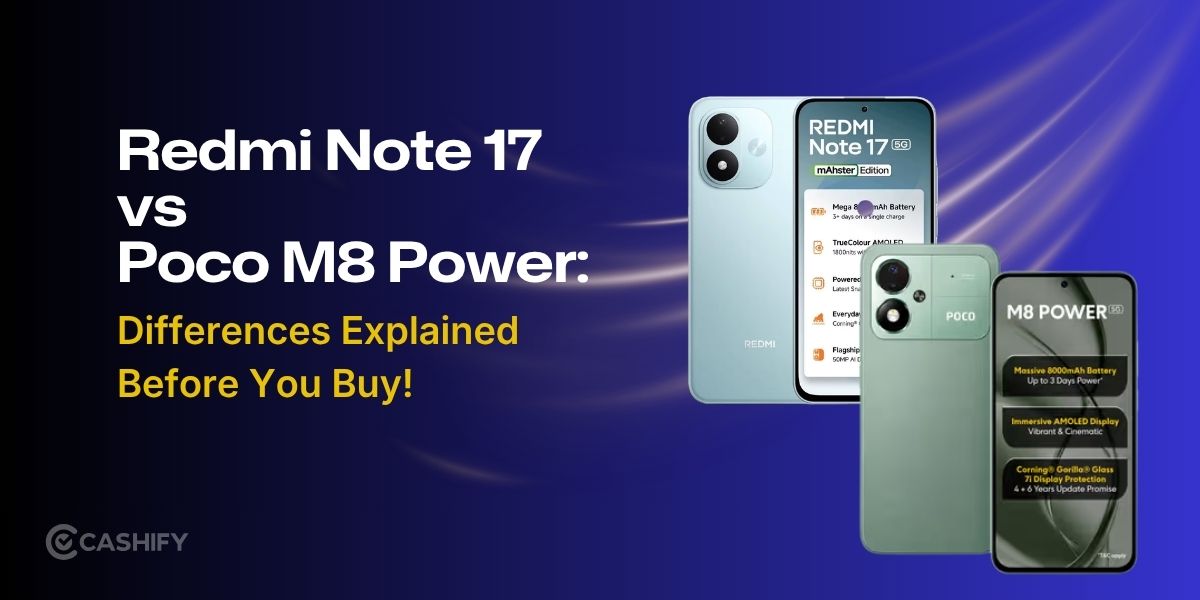
Redmi Note 17 5G / POCO M8 Power was announced at 2026, July 14 have chipset Qualcomm SM4450-AF Snapdragon 4 Gen 4 CPU Octa-core (2×2.3 GHz Cortex-A78 & 6×1.95 GHz Cortex-A55) and GPU Adreno 613. It have 128GB 6GB RAM, 128GB 8GB RAM, 256GB 8GB RAM storage and there are colors: Black, Purple, Blue
NETWORK
Technology
GSM / HSPA / LTE / 5G
2G
GSM 850 / 900 / 1800 / 1900
3G
HSDPA 850 / 900 / 2100
4G
1, 3, 5, 8, 28, 34, 38, 39, 40, 41, 42, 48
5G
1, 3, 5, 8, 28, 38, 40, 41, 48, 77, 78 SA/NSA
Speed
HSPA, LTE, 5G
TIMELINE
Announced
2026, July 14
BODY
Dimensions
169.7 x 79.1 x 8.3 mm (6.68 x 3.11 x 0.33 in)
Weight
225 g (7.94 oz)
SIM
Nano-SIM + Nano-SIM
DISPLAY
Type
OLED, 120Hz, PWM, 1800 nits (peak)
Size
7.0 inches, 118.4 cm2 (~88.2% screen-to-body ratio)
Resolution
1080 x 2396 pixels (~375 ppi density)
Protection
Corning Gorilla Glass 7i
PLATFORM
Chipset
Qualcomm SM4450-AF Snapdragon 4 Gen 4
CPU
Octa-core (2×2.3 GHz Cortex-A78 & 6×1.95 GHz Cortex-A55)
GPU
Adreno 613
MEMORY
Card slot
microSDXC (uses shared SIM slot)
Internal
128GB 6GB RAM, 128GB 8GB RAM, 256GB 8GB RAM
UFS 2.2
MAIN CAMERA
Camera
50 MP, f/1.8, 26mm (wide), 1/2.76″, 0.64µm, PDAF
Features
LED flash, HDR, panorama


Video
1080p@30fps
FRONT CAMERA
Camera
8 MP, (wide)
Video
1080p@30fps
SOUND
24-bit/192kHz Hi-Res audio
COMMUNICATES
WLAN
Wi-Fi 802.11 a/b/g/n/ac, dual-band
Bluetooth
5.1, A2DP, LE
GPS
GPS, GALILEO, GLONASS, BDS
NFC
Yes
Radio
No
USB
USB Type-C 2.0, OTG
FEATURES
Sensors
Fingerprint (under display, optical), accelerometer, compass
Virtual proximity sensing
BATTERY
Battery
Si/C Li-Ion 8000 mAh
MISC
Colors
Black, Purple, Blue
Specs source: gsmarena.com
Disclaimer: We can not guarantee that the information on this page is 100% correct
How to flash Xiaomi Redmi Note 17 5G / POCO M8 Power Firmware ROM
1. If Fastboot firmware. The ext. must be tgz. If not. Rename it from .gz to .tgz. Extract it by WinRAR
2. For Fastboot firmware. Download XiaomiFlash lastest. Extract tool after downloaded
3. Open XiaoMiFlash.exe. Install driver if tool required. Press select and select to firmware/ROM folder what includes flash_all.bat
4. Make sure your phone are unlocked bootloader. Or you must bring your phone to EDL mode (9008) to flash
5. Bring phone to Fastboot mode by hold Power and Volume down for 5-10s. Release button when It show Fastboot
6. Connect Phone to Computer. Press Refresh to scan device. If a device showed is Ok
7. Tick clean all (very important). If not, your phone will LOCKED BOOTLOADER after flash done
8. Press Flash and wait util it show success or any error
ZIP. ZIP ROM using Update function in System or TWRP
EU. EU ROM flash using TWRP
How to unlock bootloader Xiaomi Redmi Note 17 5G / POCO M8 Power
After unlock bootloader the device, your phone becomes more vulnerable and less secure to malware attacks, which may lead to the disclosure and loss of your private data. Some features which require high security level (ex: Find device, added-value services, etc.) may no longer be available. Phone data like Photo, Contacts, SMS or application’s data will be lost. Use at your own risk
1. Login with Mi account on your Xiaomi phone. Go to Setting – Phone information – Tap 7 times to MIUI version. It will notice developer options enabled
2. Go to Setting – Additional settings – Developer options – Mi Unlock status. Press Add account and wait to success notice. (This step require SIM card and mobile data enable)
3. Download the Mi Unlock app to PC, and sign in with the Mi account which are loged in your Mi phone
4. Shutdown your phone manually, then hold Power and Volume down button to enter Fastboot mode
5. Connect your phone with the PC using USB cable and click Unlock